
Tardis Key
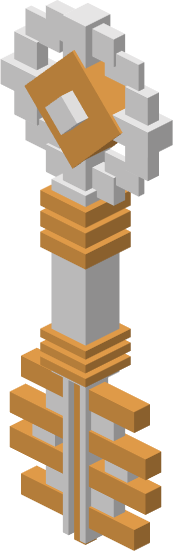 The Tardis Key is an item that is used to lock and unlock the Tardis.
Acquisition
1.14.4 Versions
As of the Pre-Alpha builds, Tardis keys can only be obtained via the Creative Mode Menu, in the "Tardis Mod Items" item group.
1.12.2 Versions
Provision by matured Tardis Coral
Tardis Keys are given to the player when a Tardis Coral has been fully grown.
If the player’s inventory is full when the coral has matured, the key will be dropped on the ground at the player’s feet.
Crafting Recipe

SyncingAlternate blankKey keysRecipe
- 1 x
TardisExotronickeyCircuit(Synced) - 1 x
TardisEyekeyof(Blank)
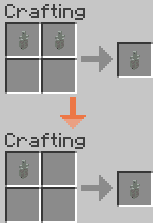
Output:
Copying a synced key
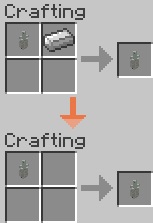
Output:
Uses
1.14.4 Versions
1.12.2 Versions
- Locking/Unlocking Doors
- Display the Tardis
console’owner'scoordinates within the Tardis interior dimension.
Usage
1.14.4 VersionsUsage
Creating a Tardis
In the Pre-alpha 1.14.4 builds, the Tardis key is used as a method to obtain the Tardis for debugging purposes. The Tardis exterior will spawn next to the player when they right click the key.
1.12.2 Versions
Syncing a key
A Tardis key can be synced to a Tardis in four ways:

Figure 1 - The tooltip displayed when the mouse is hovered over the key.
Syncing multiple keys to one Tardis
See above steps
Locking/Unlocking Doors
Hold the key in the hand and right click on the top block of the Tardis exterior. A prompt “TARDIS Locked!” or “TARDIS Unlocked!” will display on the screen and the doors will close/open.
Finding the Tardisowner consoleof coordinatesa key
TheWhen Consolea coordinatesTardis are NOTkey is crafted, the Tardis' exterior position (where it landed). It is the coordinatesUUID of the consoleplayer inwho crafted the interiorkey dimension.
Placebe saved. This can be easily identified by placing the mouse over the item whilst in the inventory GUI. It will produce a tooltip that displays the Tardis console’s coordinates in the interior dimension.inventory.
Refer
Syncing a Stattenheim Remote to a Tardis
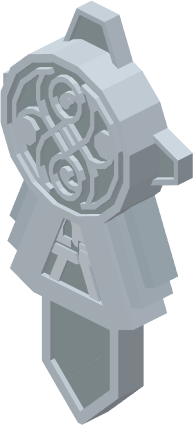
Gallery
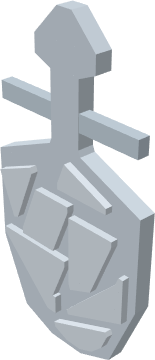
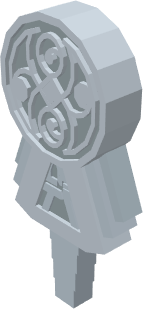
Notes
- Each time the player exits the Tardis the doors will be left open. To prevent unwanted entities from entering the Tardis, players are recommended to always lock their doors with the key.
As of 0.1.0B, theSome Tardis keys display differently in the main hand compared to the offhand.