
Tardis Monitor
|
Figure 1 - Hell Bent Tardis Monitor |
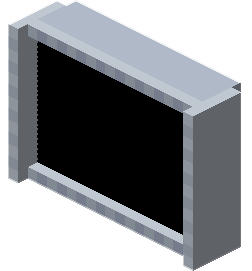
The Tardis Monitor is a block that displays information about yourthe user's Tardis. It is also used to activate a variety of Tardis protocols andalong provideswith providing maintenance access to yourthe user's Tardis.
The Monitor contains a graphical interface which allows users to interact with it. Currently, the monitor can be accessed via the Hell Bent Monitor Block or an in-built control on the Toyota Console and Sharp Season 13 consoles.
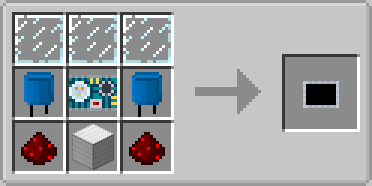
Crafting Recipe
| Name | Ingredients | Crafting Recipe |
| Hell Bent Monitor |
|
 |
Features
Navicomputer
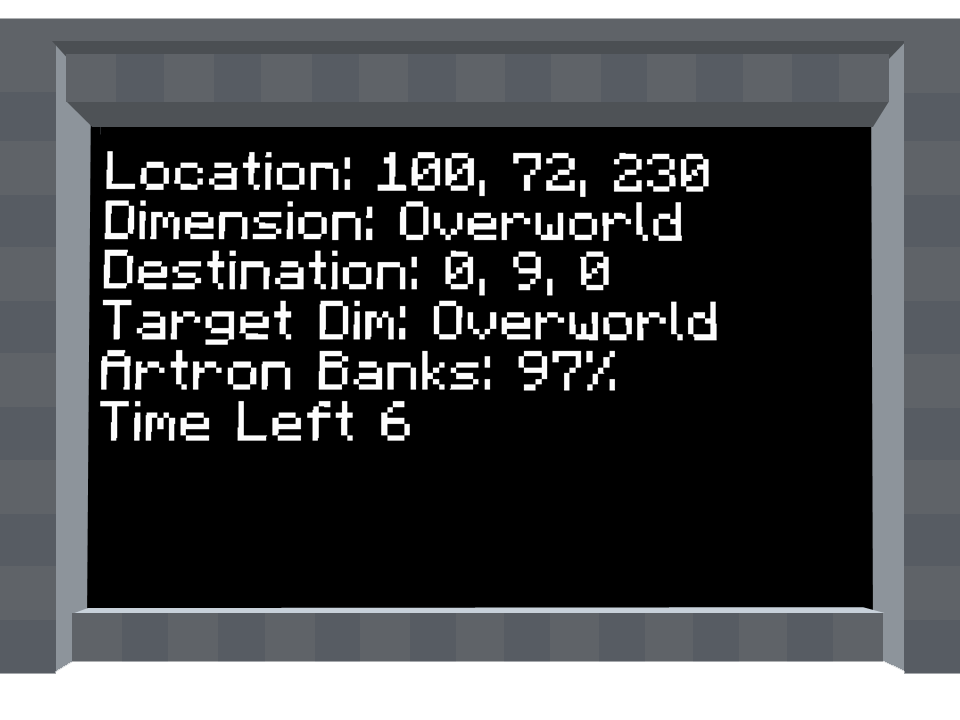
When placed, the monitor will display the following properties of your Tardis:
 |
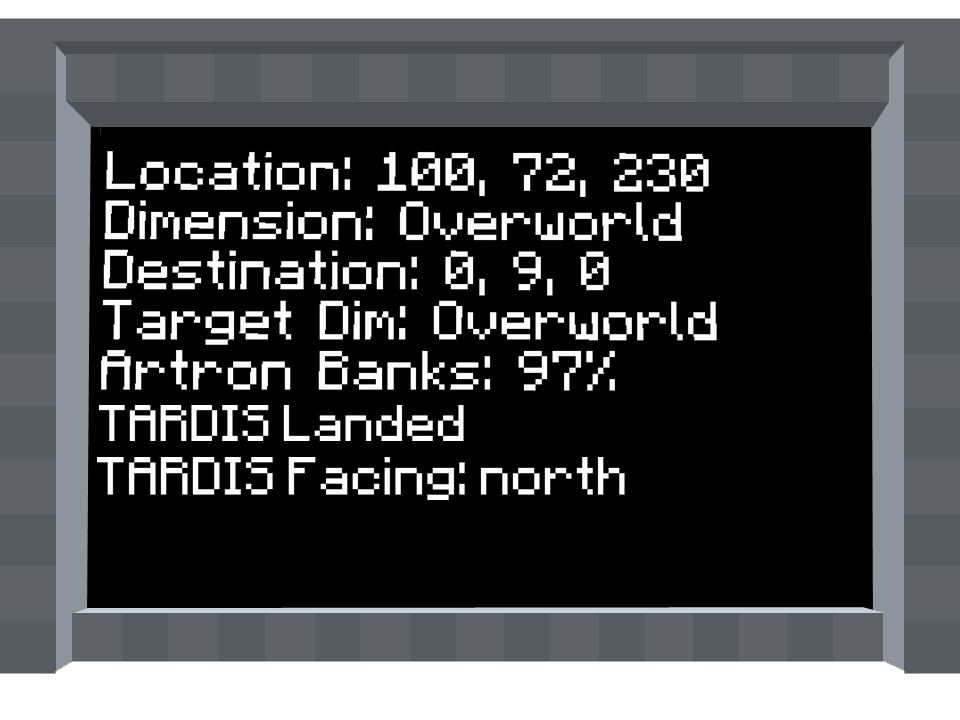 |
| Figure 2 - Tardis Monitor display when in flight | Figure 3 - Tardis Monitor display when landed |
- Location: The current X,Y and Z coordinates of your Tardis exterior
- Dimension: The current dimension of your Tardis exterior
- Destination: X,Y,Z coordinates of the destination
- Target Dimension: The destinations’ dimension
- Artron Banks: Amount of fuel the Tardis currently has, displayed as a percentage of full capacity. Refuelling the Tardis via the Refueller increases the artron energy in the Artron banks.
- Time Left: Amount of times (in seconds) until Tardis lands.
- When the Tardis is Landed, this is shown as "TARDIS Landed"
- TARDIS Facing: The direction of which the exterior is facing when landed (North, South, East or West)
Maintenance Access and Tardis Protocols
Right clicking the Tardis Monitor will display a GUI. This allows the owner to view the Tardis’ health and activate certain commands called protocols.
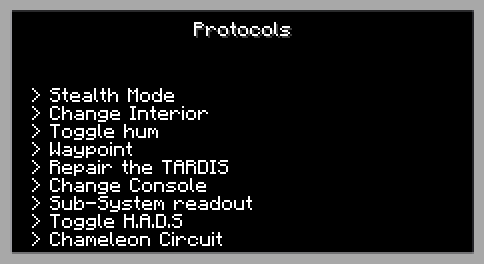
Figure 4 - The Tardis Monitor GUI, as of 0.0.9A1.0D
Protocols
Stealth Mode
This protocol allows the player's Tardis exterior to become invisible. Players cannot locate the a Tardis with Stealth Mode enabled unless they are able to be obstructed by the exterior.
The protocol can be toggled on and off
For every 5 seconds, the protocol uses 1% of the Chameleon Circuit sub-system
Maximum stealth mode time can be achieved with using the default exterior shell (TT Capsule) and installing a Chameleon circuit with full durability. This provides 500 seconds of Stealth Mode, or 8.33 minutes.
When turned on, the message "Stealth Mode Engaged" will appear above the hotbar.
When turned off, the message, "Stealth Mode Disengaged" will appear above the hotbar.
Change Interior
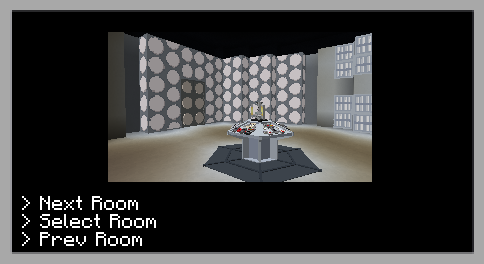
This protocol allows the user to change the console room of the Tardis. This does not use any artron energy. The change is instantaneous.
There following console rooms available:
Toggle Hum
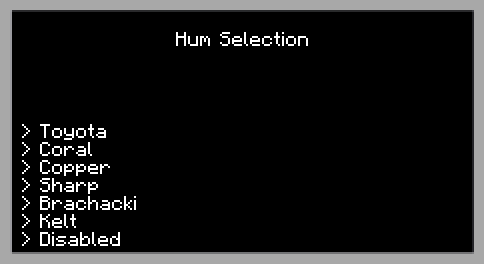
This protocol toggles the Tardis Hum noise and can be cycled through to disable the hum as well. The available hum sounds are:
The name of the hum sounds correspond to the names given for certain Tardis interiors.
Waypoints
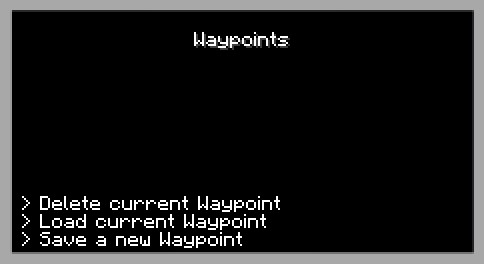
This protocol allows the player to save,delete or load waypoint information for the destination.
Please see the Waypoint Controls for more information on its usage.
Repair the Tardis
This protocol toggles the repairing of the Tardis Hull which is damaged during flight. The repair process requires no resources
When turned on, the message "Tardis is now repairing" will appear above the hotbar.
When turned off, the message, "Tardis is no longer repairing" will appear above the hotbar.
Change Console
Allows the user to change the Tardis console.
NOTE: The Tardis console controls are located in different positions on each console, be sure to use a Tardis Manual to familiarize yourself with each control.
Current list of consoles:
Sub-system Readout

This maintenance option allows the owner to view the health of the Tardis’ sub-systems.
Each system requires the installation of a certain Tardis sub-system component.
The health(durability) of each system is shown by a percentage of full health.
Sub-systems at 0% shows that the specified sub-system is destroyed and requires installation of a new circuit.
The player can remove a sub-system by left-clicking on the desired sub-system. The user will receive a confirmation prompt and cancel the operation if they so wish.
Toggle H.A.D.S
This protocol toggles the Hostile Actions Displacement System (aka HADS). Whenever a projectile hits the Tardis, the Tardis will automatically dematerialize and rematerialize in a nearby location to prevent sustaining hull damage.
H.A.D.S behaviour changes depending on the installation of Stabilizer Circuits
Chameleon Circuit
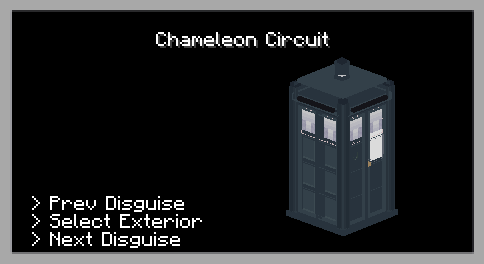
Figure 5 - Chameleon Circuit GUI
The Chameleon Circuit protocol changes the Tardis exterior. The owner can choose an exterior from a range of ready-made exterior shells.
This requires the installation of the Chameleon Circuit.
Circuit.
As of 0.0.8A Hotfix 2,1.0D, the available shells are:
|
Exterior Shell |
Image |
|
1963 – Brachaki |
|
|
1966 – Altered Brachaki |
|
|
1976 - Newberry |
|
|
1980 – Yardley Jones |
|
|
1996- Hudolin |
|
|
Master’s Clock |
|
|
TT Capsule |
|
|
Spruce Door (Bugged, has no name or model in GUI) |
|
|
Disguised*
|
|

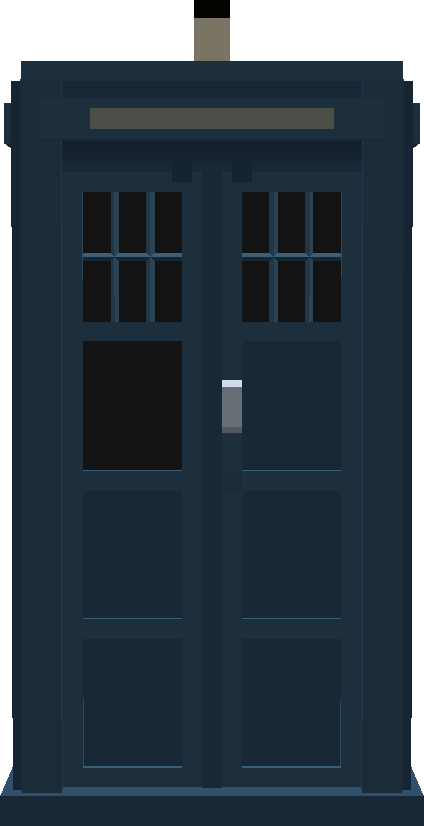

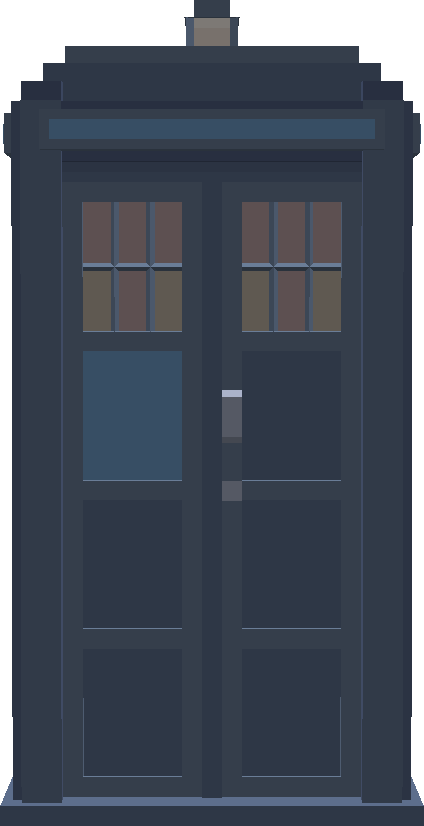
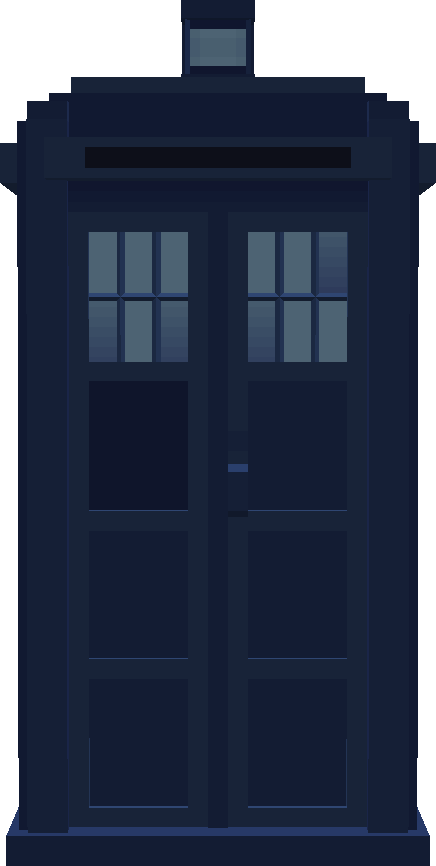
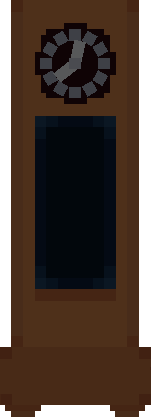

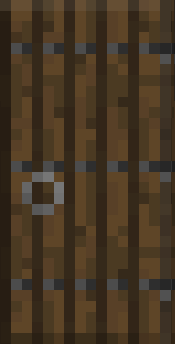
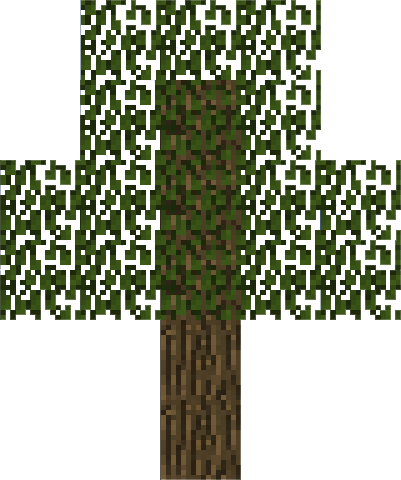
*The leaves change colour according to the biome. Note that the leave colour change has some rendering issues and is still a work in progress as of 0.0.8A.1.0D.
Toggle
Removed H.A.D.S
This protocol toggles the Hostile Actions Displacement System (aka HADS). Whenever a projectile hits the Tardis, the Tardis will automatically dematerialize and rematerialize in a nearby location to prevent sustaining hull damage.H.A.D.S behaviour changes depending on the installation of Stabilizer Circuits
Change Console
Allows the user to change the Tardis console.
NOTE: The Tardis console controls are located in different positions on each console, be sure to use a Tardis Manual to familiarize yourself with each control.
Current list of consoles:Protocols
Regenerate Console Room
This feature has been replaced with Change Interior protocol in 0.0.9A Patch 1. Switch between different console rooms to 'regenerate' the console room.
This restores the Tardis interior to the default Hell bent interior.
Notes:
- This deletes any block placed or broken by the player.
- Any item stored in chests placed in the interior will be deleted
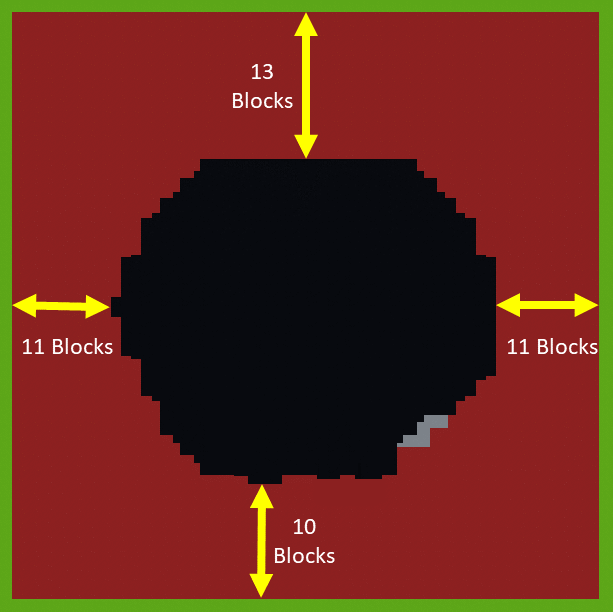
- Any block placed within a 10-13 block radius from the edges of the interior will be deleted. This includes any blocks inside the console room.
- Any blocks below or above interior will be deleted.
- See the below image for more information.
|
Figure 6 - The area of effect of the Tardis console room regeneration. The red blocks indicate affected areas, while green blocks indicate blocks unaffected by the protocol. The measurements are taken from the furthest point on each side of the interior. |
Double Lock Doors
This activatesfeature thehas doublebeen lock, which prevents any entities or playersremoved from opening or closing the exterior door and therefore entry to the Tardis. To make full use of this, close the doors first before activating the Double Lock.
NOTE: As ofversions 0.0.8A, the double lock only displays a message when it is disabled. When it is activated, no message is shown and the doors are unable to be opened.9A+
Sub-system Readout
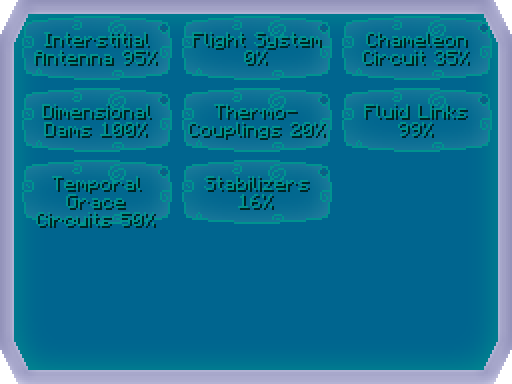
Figure 7 - Sub System GUI
This maintenance option allows the owner to view the health of the Tardis’ sub-systems.
Each system requires the installation of a certain Tardis sub-system component.
The health(durability) of each system is shown by a percentage of full health.
Double Lock Doors
This activates the double lock, which prevents any entities or players from opening or closing the police box door and therefore entry to the Tardis. To make full use of this, close the police box doors first before activating the Double Lock.
When turned on, the police box doors cannot be opened. No message is shown above the hotbar.
When turned off, the message, "Double lock lifted" will appear above the hotbar and the doors are able to be opened.
NOTE: If the police box doors can be opened and the player cannot exit the Tardis, it is likely that the exterior of the Tardis is facing a solid wall and not the result of an activated double lock.
In this case, the player must land the Tardis in another location or change the direction of the Tardis via the Directional Control.
Repair the Tardis
This protocol toggles the repairing of the Tardis Hull which is damaged during flight. The repair process requires no resources
When turned on, the message "Tardis is now repairing" will appear above the hotbar.
When turned off, the message, "Tardis is no longer repairing" will appear above the hotbar.
Waypoints
This protocol allows the player to save,delete or load waypoint information for the destination.
Please see the Waypoint Controls for more information on its usage.

Toggle Hum
This protocol toggles the Tardis Hum noise and can be cycled through to disable the hum as well. The available hum sounds are:
Change Interior
This protocol allows the user to change the console room of the Tardis. This does not use any artron energy. The change is instantaneous.
There following console rooms available:
Notes:
Trivia
- Right clicking with a filled map on the Tardis monitor will allow the player to travel to the coordinates of the map's centre.