Vortex Manipulator
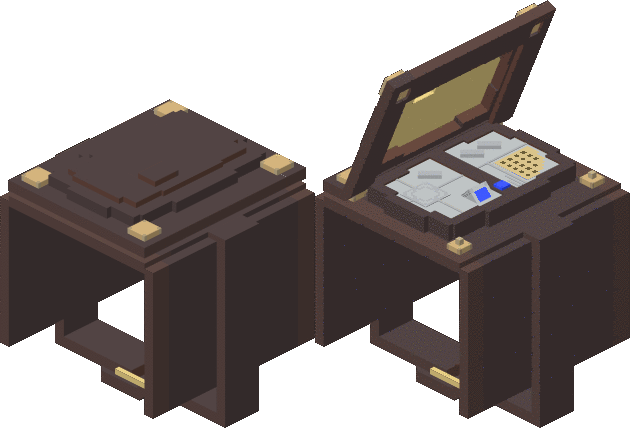 The Vortex Manipulator is a portable means of transportation. It can teleport the player to any set of coordinates in the player’s current dimension.
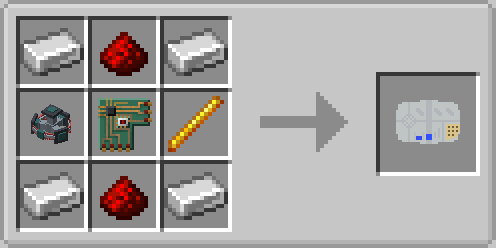
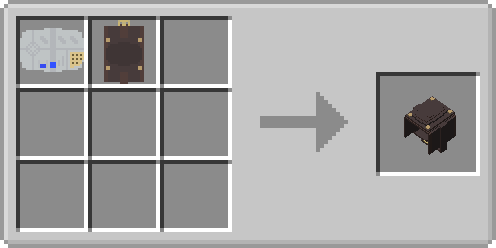
Crafting Recipe

Features
The Vortex Manipulator allows the user to access a multide of features. These include:
Parent and Child Functions
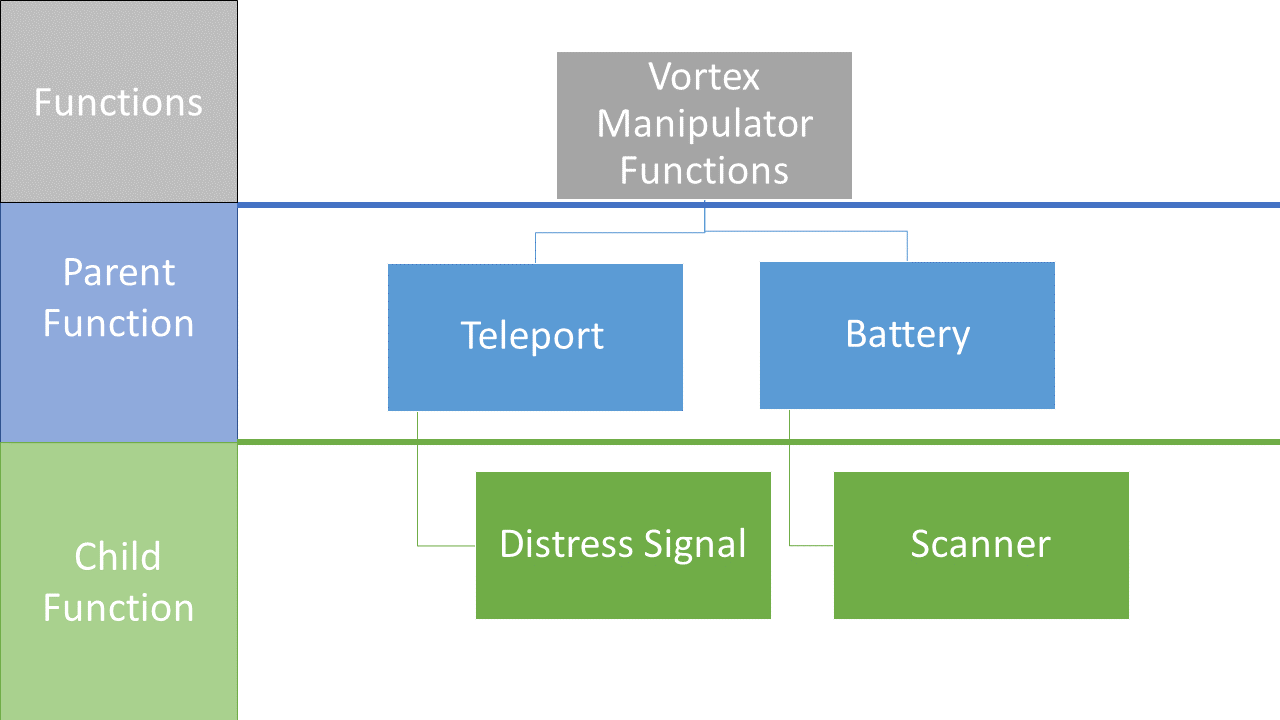
The Vortex Manipulator introduces the concept of Parent and Child Functions. The following heirachal workflow diagram showcases the the system.
A Parent Function is simply a term used to describe the primary abilities of the Vortex Manipulator.
A Child Function is a term use to describe a function that is sorted under a Parent Function.
Usage
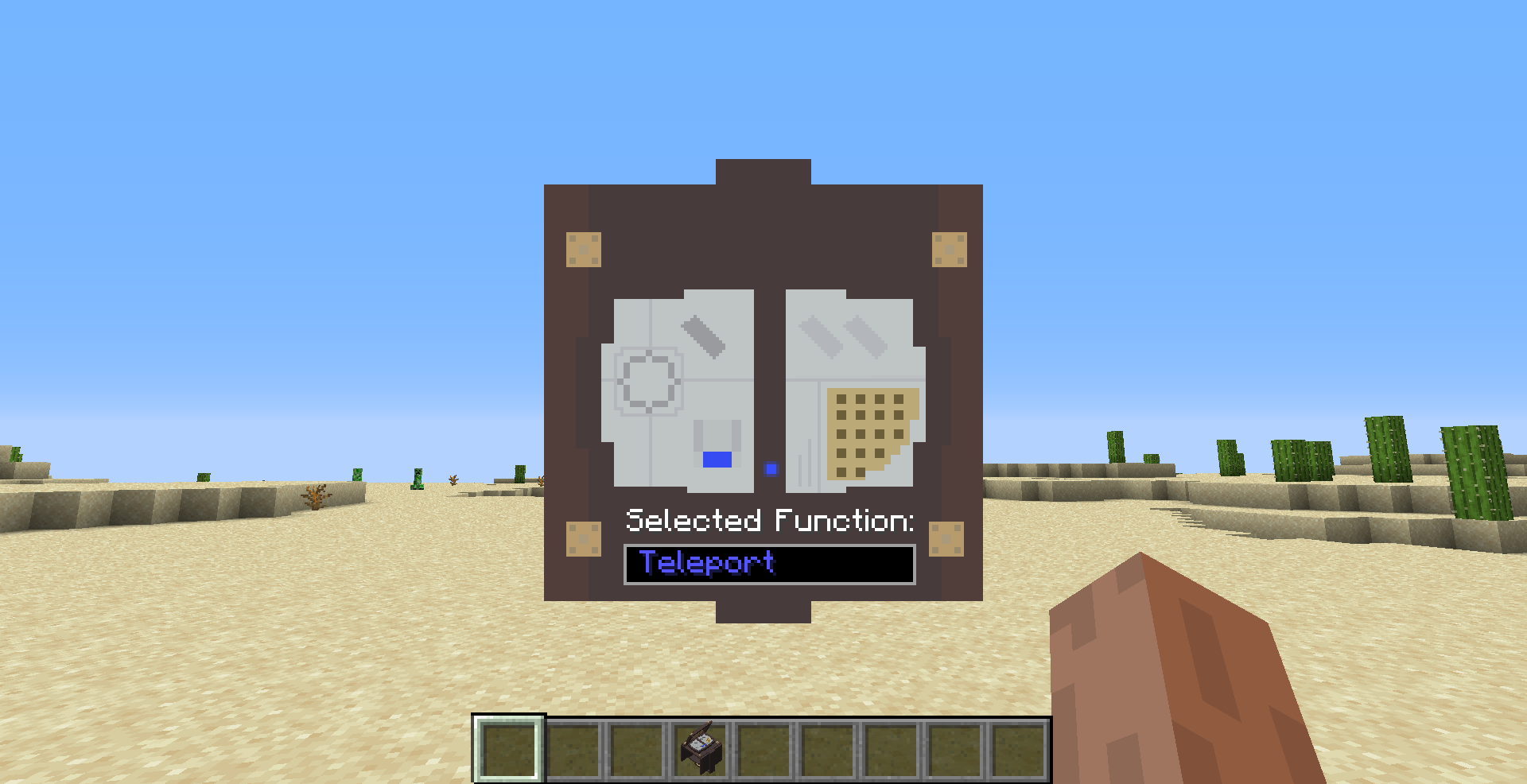
Accessing GUI
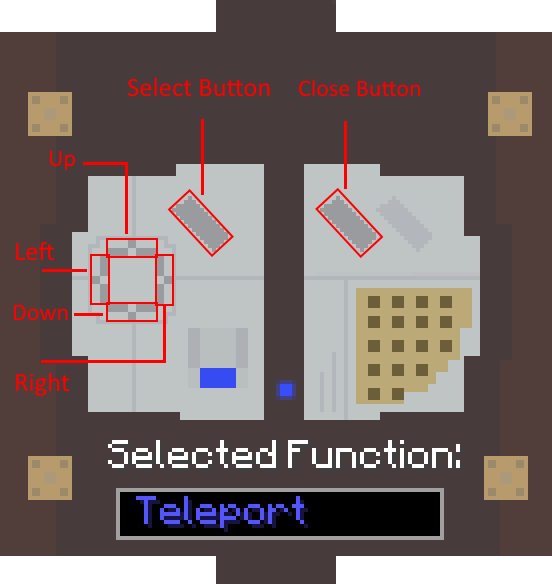
Player Teleportation
The player teleportation allows the player to teleport to any location in the player's current dimension.
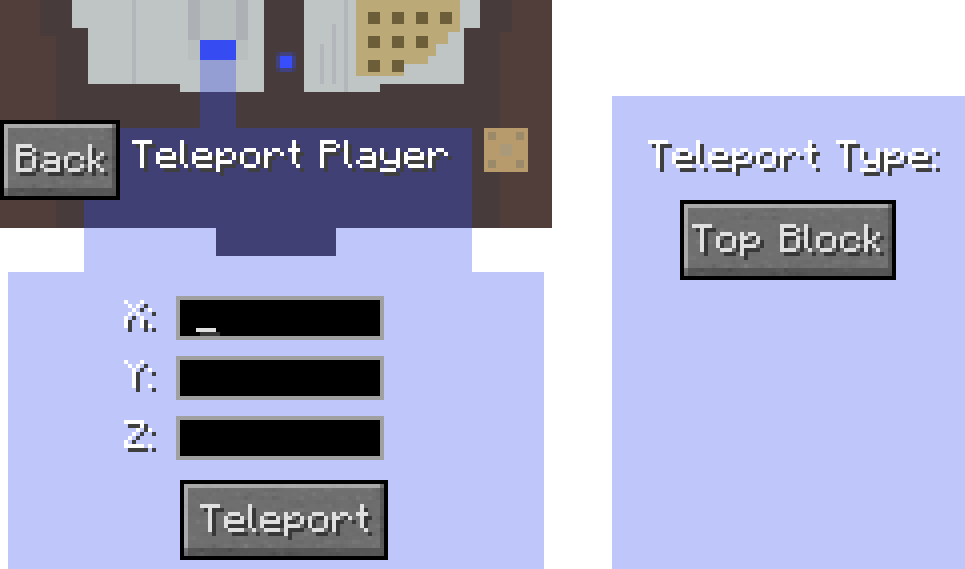
To use this feature, the player will need to input X,Y,Z coordinates in the corresponding boxes as shown below. There is no current limit on the magnitude of the input coordinates. However, inputting large numbers can potentially cause issues when generating chunks at a far away location due to how Minecraft chunk generation works.
Once satisfied with the coordinate inputs, the player simply needs to press the "Teleport" button. The player will be teleported to the coordinates and a teleportation sound effect will be played.
An additional, optional parameter, Teleport type allows the player to determine how the teleportation behaves by toggling the setting. The displayed setting will be the player's selected setting.
If the user does not input anything in a textbox, the destination coordinates will be that of the player's current coordinates.
Tip: To quickly teleport in a specific direction, leave the other two input boxes blank and enter a value in the box which corresponds to the direction you want to travel in.
Fuel Requirement
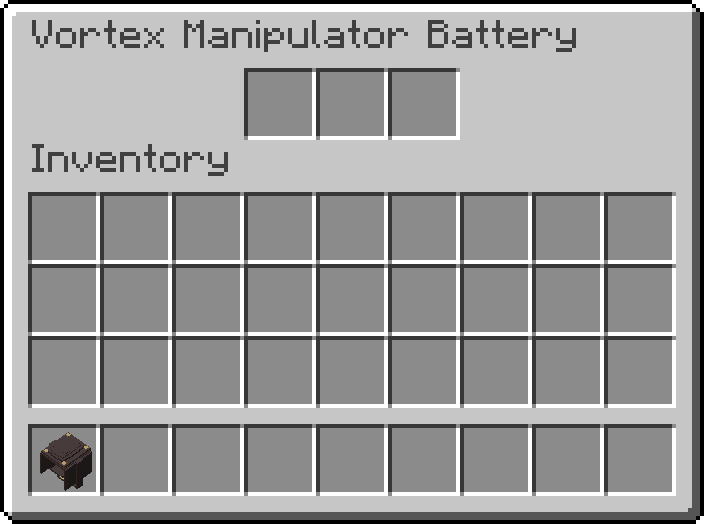
The Vortex Manipulator also requires Artron Energy to enable the user to use its teleportation function. To gain fuel, place charged Artron Batteries into the Battery Compartment container GUI.
When the user is in the Vortex Dimension, the Vortex Manipulator will use up a certain amount of Artron Energy. The amount is calculated with the following formula:
Fuel Discharge Amount = Base Discharge Amount + (Discharage Multiplier x Displacement)
All variables can be adjusted with the mod's user-defined configuration file, tardis-common.toml, located in .minecraft/configs by default.
Teleport Range Limit
For server performance reasons, a user-defined configuration option allows server owners to configure the amount of blocks the Vortex Manipulator can travel. By default, this is 1000 blocks.
Side Effects
When the user travels over half of the Teleport Range limit, the user can experience user-defined potion effects. These potion effect types and duration can be defined in the mod's configuration file.
By default, the user will receive Nausea for 5 seconds, Blindness for 10 seconds and Weakness for 5 seconds.
Cooldown
After each successful teleport, the Vortex Manipulator has an item cooldown time that prevents the user from using it until the cooldown period is over. This is configurable using the mod's configuration file.
By defualt, this cooldown period is 10 seconds.
Battery Compartment Access
The Vortex Manipulator has a container that allows users to place in Artron Batteries to allow for Teleportation to occur.
During teleportation, the Vortex Manipulator will discharge an Artron Battery from all slots from left to right, starting from the leftmost slot.
Scanner
This function allows the user to view the number of other players and hostile mobs in a large30 block radius around them. When selected, it counts the number of other players and hostile mobs on the server, then prints the information to a chat message.

Distress Signal
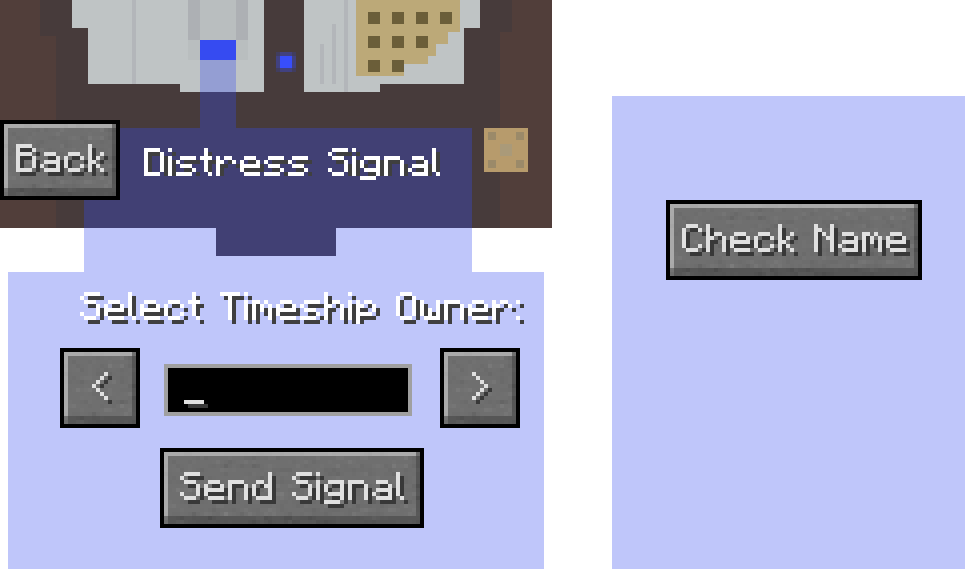
This function allows the player to send a distress signal to a Tardis owned by the specified username.
Type in the username of the player you want to send the distress signal to, and press the "Send Signal" Button.
You can also use the arrow keys to cycle through the list of available players.
The Check Name button checks if the username entered matches a valid player.
Tooltips
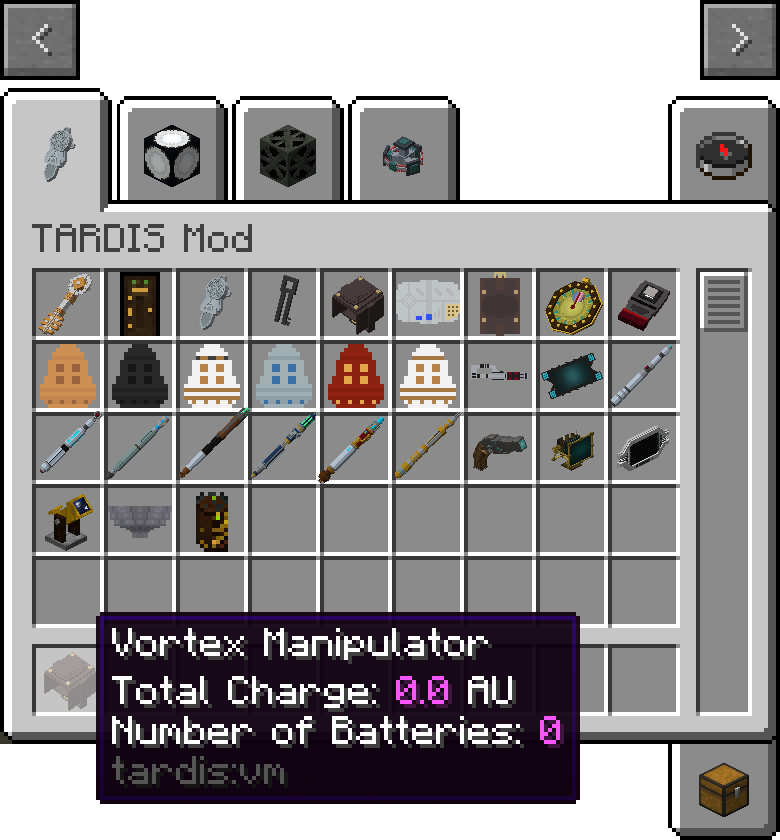
When the mouse is placed over the Vortex Manipulator Item, holding down the SHIFT key will allow the user to view:
Gallery