
Tardis Console Controls - Archived Features
Below are Tardis console control mechanics and functions that have been removed from the latest version of the mod.
Real World Flight Control
|
Figure 1 - Real World Flight Control |
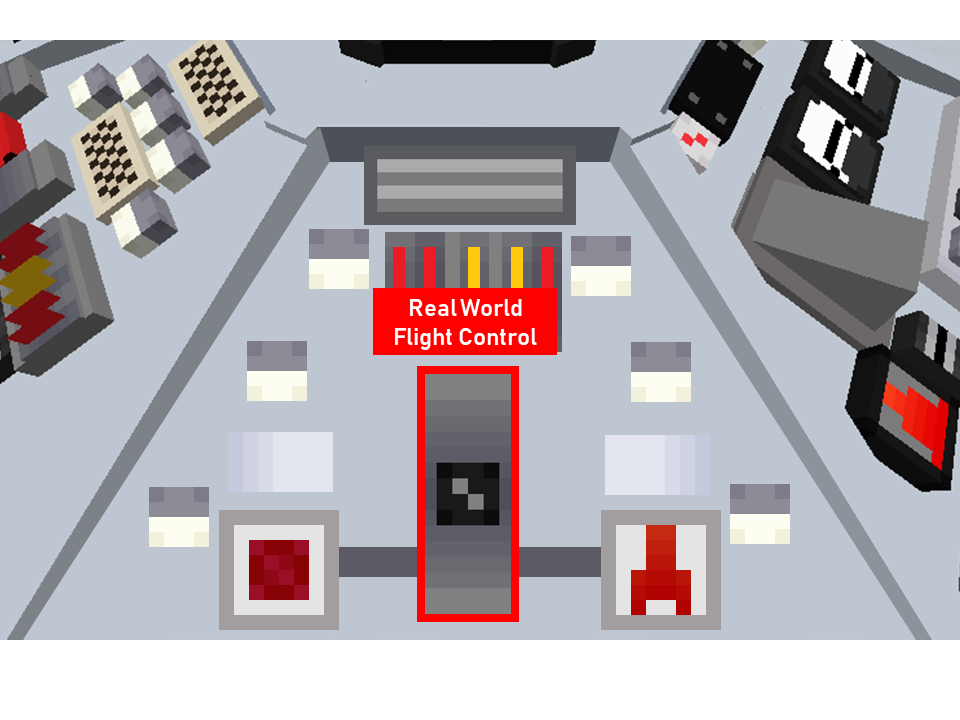
About:
This allows the user to control the Tardis as if they were in creative mode.
It is useful for short range trips or for reaching high places.
Usage:
- Right-click 'Real World Flight Control' button (See Figure 6)
- Use the mouse to point in the direction of flight (This includes going up and down)
- Use the W key to move in the mouse’s direction
- Use Sneak key to exit Real-World Flight mode.
Fate:Active versions: 0.0.4-0.0.8
TheFate: location of this control is now replacedReplaced by the Sonic Charging Slot in 0.0.8 Patch 2
Sonic Charging Slot
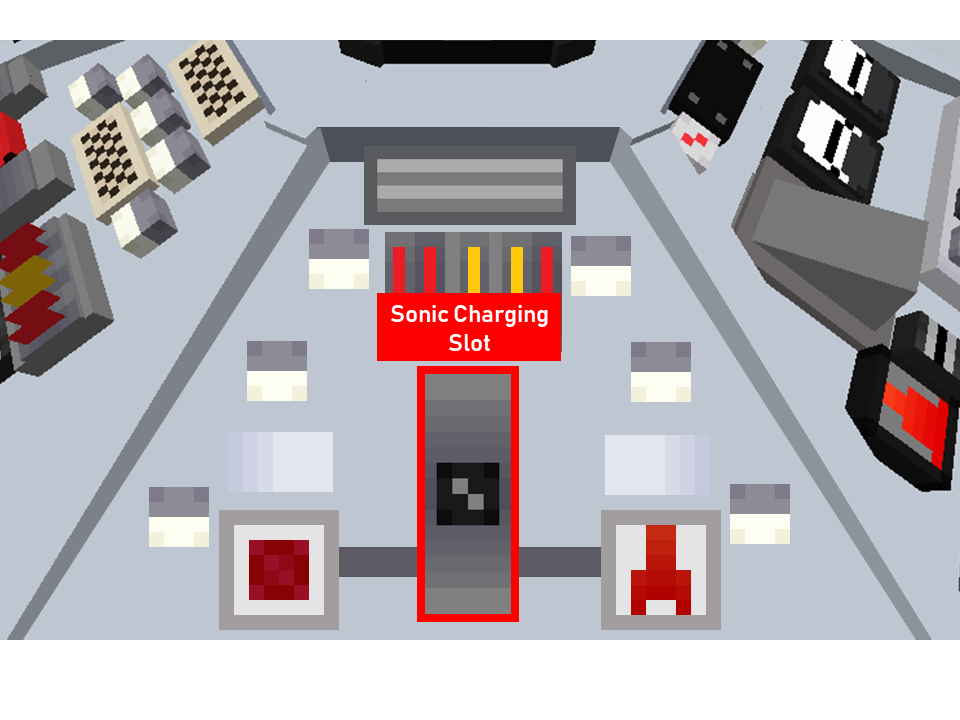
Figure 6 - Sonic Charging Slot
About:
This control allows users to recharge their sonic screwdrivers.
Usage:
Active versions: 0.0.8 - 0.0.8 Patch2
Fate: Removed
About:
This panel allows you to store your Tardis’ current location (called a waypoint) in a button which you can use to revisit the location.
This panel is made up of two components:
Waypoint Controls
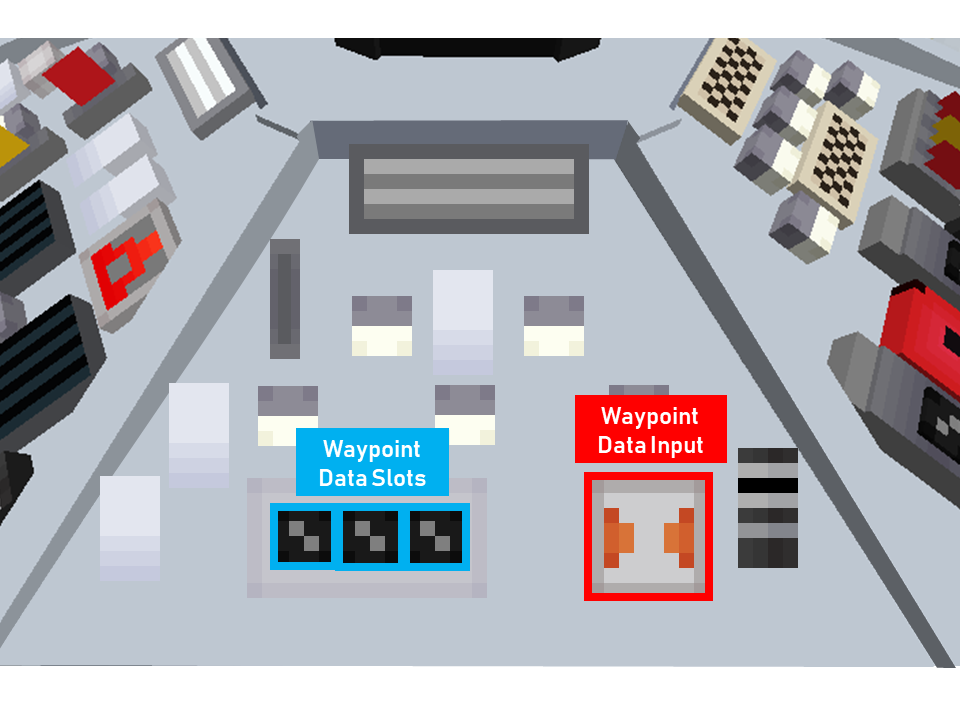
Figure 15 - Waypoint "Data Input" button (far right, in red) and Waypoint "Data Slots" (far left, in blue)
Usage:
Setting a waypoint
Tip:
Overriding/Setting new waypoints
To create more waypoints, you must override an existing waypoint slot. This can be done by following the steps below.
Travelling to a waypoint
Original Notes:
Active versions: 0.0.5 - 0.0.8 Patch2
Fate: Replaced by current Waypoint system