
Sonic Workbench
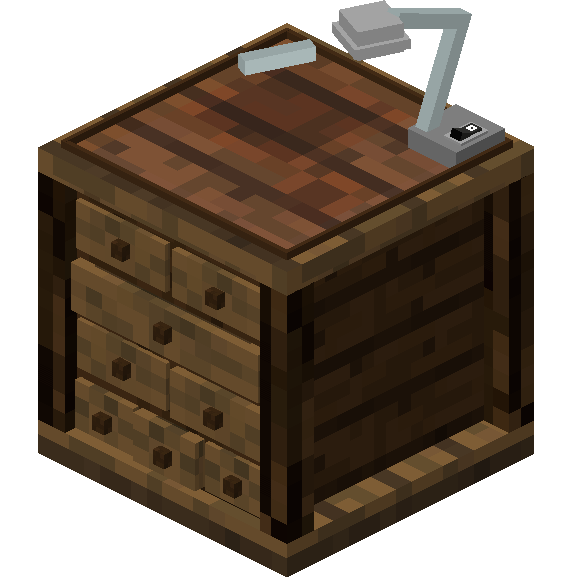
The Sonic Workbench is a block that allows users to change the casing of a sonic screwdriver or Tardis key. This features is exclusive to the 1.12 versions of the mod.
Crafting Recipe
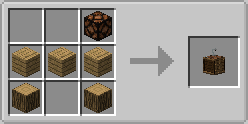
- 3 x Oak Wood Planks
- 1 x Oak Wood Log
- 1 x Redstone Lamp
Properties
- Can instantly modify any sonic screwdriver or Tardis key's casing
- Does not require any energy to change casing
- Workbench will be able to drop when broken by hand
Usage
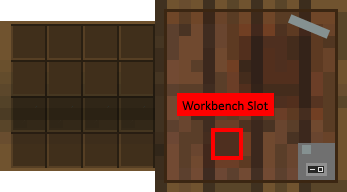
- Right click the Sonic workbench. This will display a GUI.
- Insert any Sonic Screwdriver or Tardis key into the Sonic Workbench slot.
- Select and click the desired screwdriver/key casing. This will change the screwdriver/key's casing to the one selected
- Take out the sonic screwdriver/Tardis key from the workbench. The sonic screwdriver/Key should have display your desired casing.
Gallery
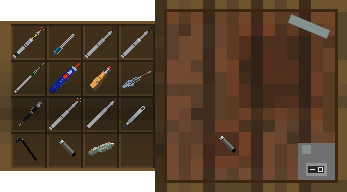
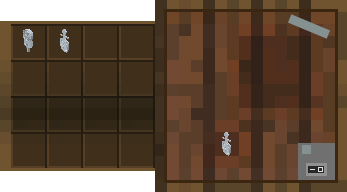 Figure 1 - The GUI displayed when a Sonic Screwdriver is inserted into the workbench slot
Figure 2 - The GUI displayed when a Tardis Key is inserted into the workbench slot
Figure 1 - The GUI displayed when a Sonic Screwdriver is inserted into the workbench slot
Figure 2 - The GUI displayed when a Tardis Key is inserted into the workbench slot
Notes
- Sonic Shades cannot be modified in the workbench
- Breaking the Sonic workbench with a sonic still in its slot will delete the Sonic
- Changing the casing of a sonic screwdriver will retain its current charge levels.