Quantiscope
This information applies to an upcoming version of the mod. The feature is a Work In Progress.
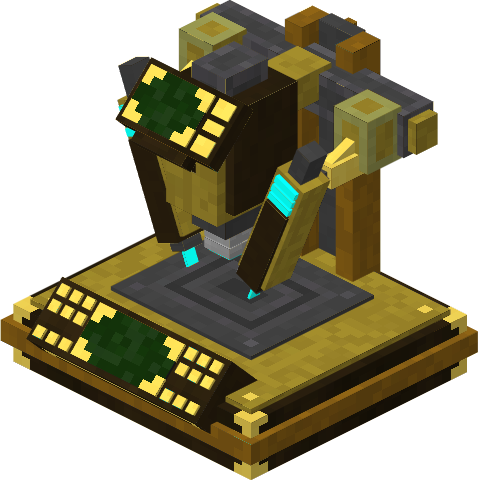
The Quantiscope is a block that allows users to construct.,modifycraft and upgrademodify various itemsitems.
AcquisitionCrafting Recipe
The
Brass Variant
Name
Ingredients
Recipe
Brass Quantiscope
can
beobtained1 usingx theExotronic Circuit
3 x Iron Ingot
2 x Iron Bars
1 x Glass Block
2 x Xion Crystal
ARS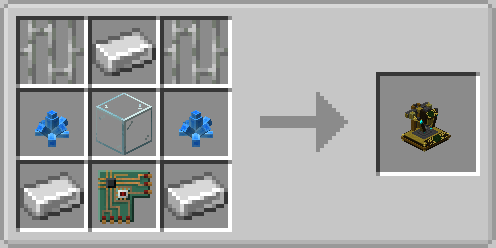
GUI.
Name
Ingredients
Recipe
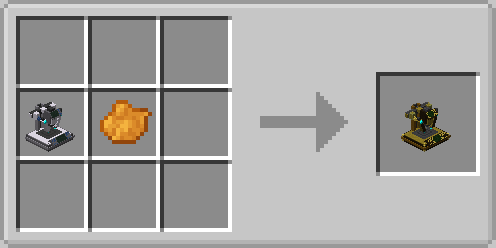
Brass Quantiscope
1 x Iron Quantiscope
1 x Orange Dye
Iron Variant
Name
Ingredients
Recipe
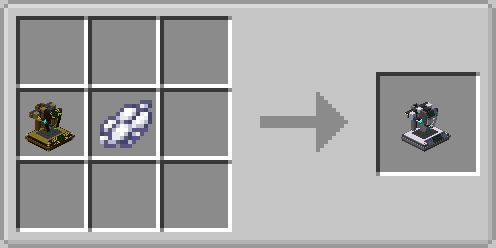
Iron Quantiscope
1 x Brass Quantiscope
1 x White Dye
 Name
Ingredients
Recipe
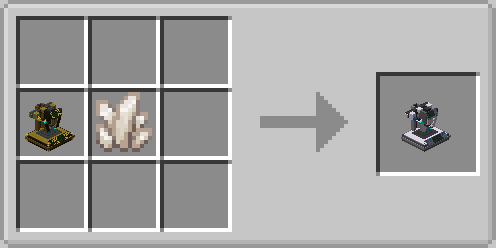
Iron Quantiscope
1 x Brass Quantiscope
1 x Quartz
Name
Ingredients
Recipe
Iron Quantiscope
1 x Brass Quantiscope
1 x Quartz
PropertiesUses
- Can
instantly modify any sonic screwdriver or Tardis key'seach casing part of a Sonic Screwdriver
- Does not require any energy to change Sonic casing
Can be used to craft Tardis Mod Items
Repair Tardis Sub-systems
Usage
Sonic Customisation
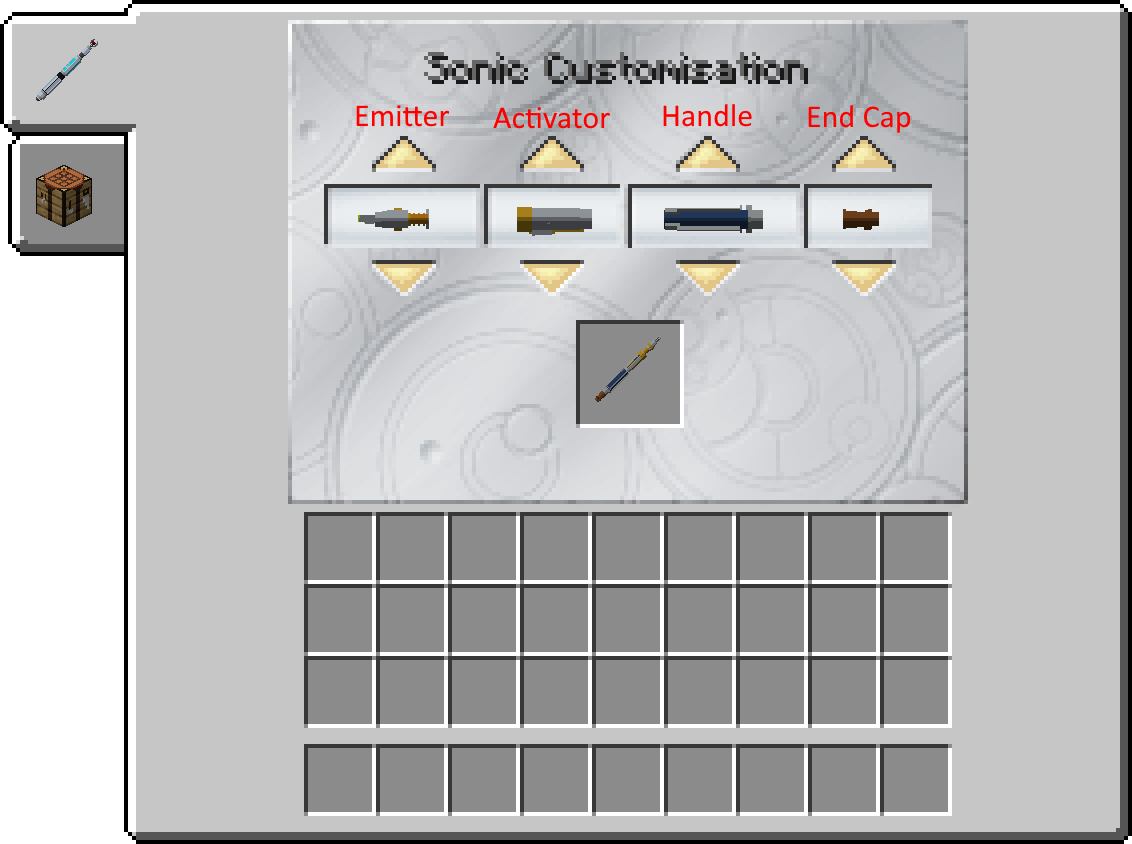
- Right click the Quantiscope. This will display a GUI.
- Click the tab containing a Sonic Screwdriver on the left hand side of the screen
Insert any Sonic Screwdriver into the Quantiscope slot.
The current type for each part of the Sonic Screwdriver will be displayed in the GUI
Select and clickClick the
desiredup screwdriver/keyor down arrow buttons to adjust one part of the the Sonic Screwdriver casing. This will change the
screwdriver/key'sselected casingaspect toof the
onescrewdriver's selectedcasing.
Take out the sonic
screwdriver/Tardis keyscrewdriver from the Quantiscope. The sonic
screwdriver/keyscrewdriver should have display your desired casing.
Crafting and Repair
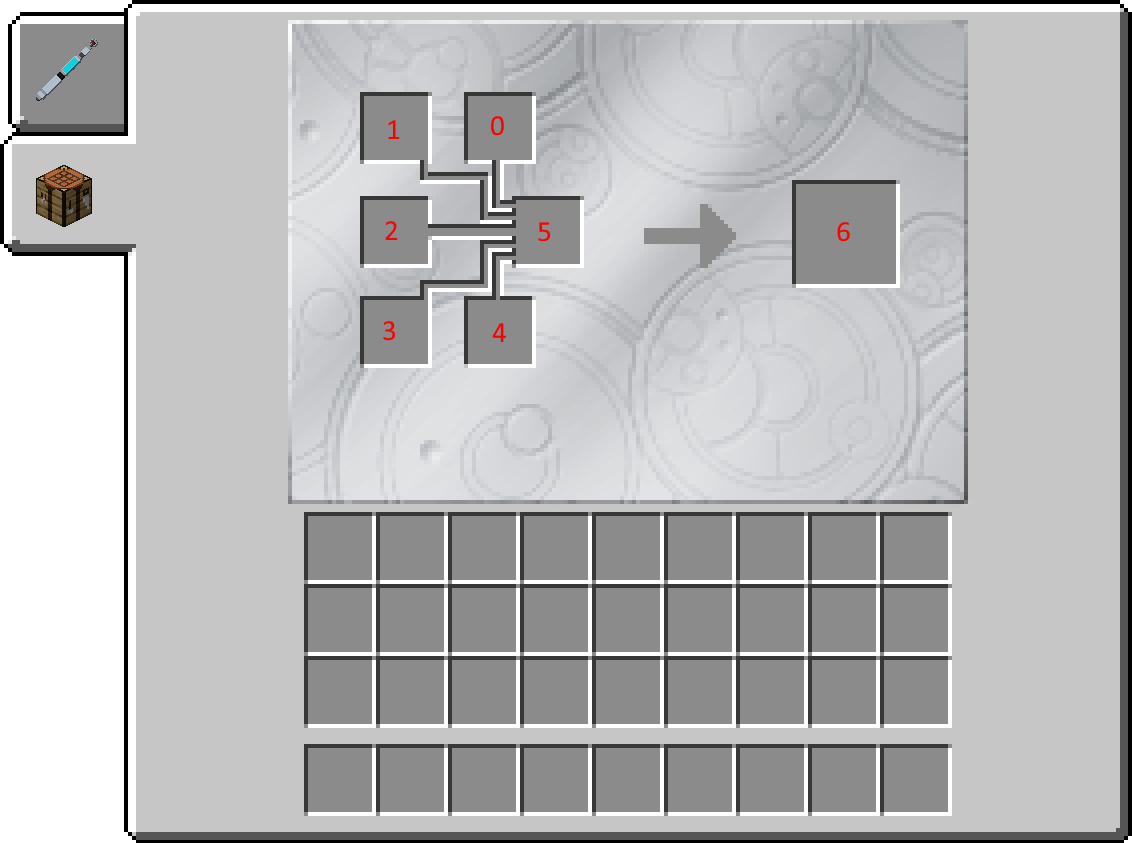
Right click the Quantiscope. This will display a GUI.
Click the tab containing a Crafting Table on the left hand side of the screen
Crafting
Insert required items for a recipe in slots 0-4.
If the required items are detected in the slots, the Quantiscope will begin to the craft the item whose recipe contains the slot items. A sparking sound and particles will be played around the block.
Wait until the Quantiscope stops sparking sound. The crafting has completed and the output item has been placed in Slot 6.
Take the output item out from slot 6.
Repairing
Place the repair item in Slot 5
Place required repair items within Slots 0-4
If the required items are detected in the slots, the Quantiscope will begin to the craft the item whose repair recipe contains the slot items. A sparking sound and particles will be played around the block.
Wait until the Quantiscope stops sparking sound. The repairing has completed and the output item has been placed in Slot 6.
Just Enough Items Integration
The Quantiscope contains custom "Welding" Recipes that allow the Just Enough Items mod to display them.
These recipes can be accessed by left clicking on certain Tardis Mod Items.
These recipes can also be adjusted via Minecraft Datapacks.
Gallery
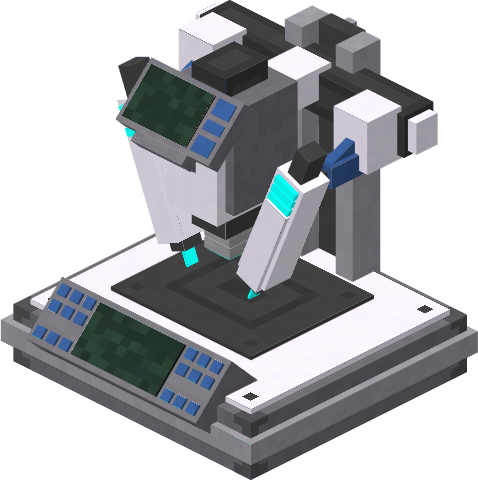 Figure 1 - "Brass" variant of the Quantiscope
Figure 2 - "Iron" variant of the Quantiscope
Figure 1 - "Brass" variant of the Quantiscope
Figure 2 - "Iron" variant of the Quantiscope

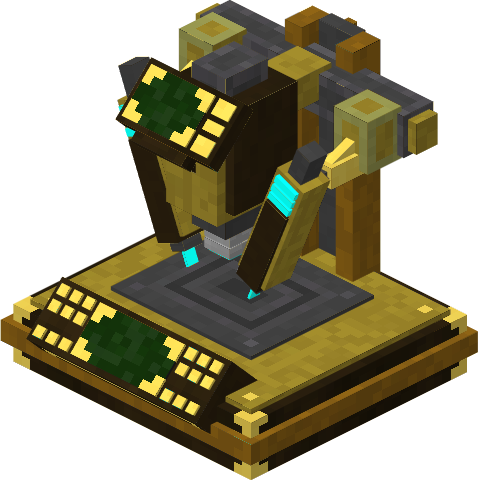
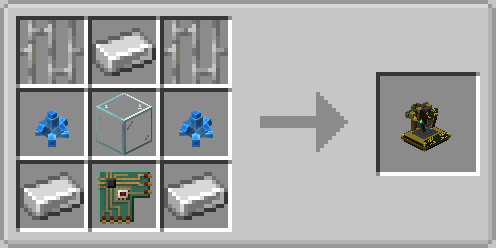

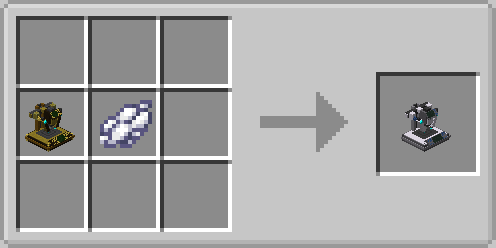

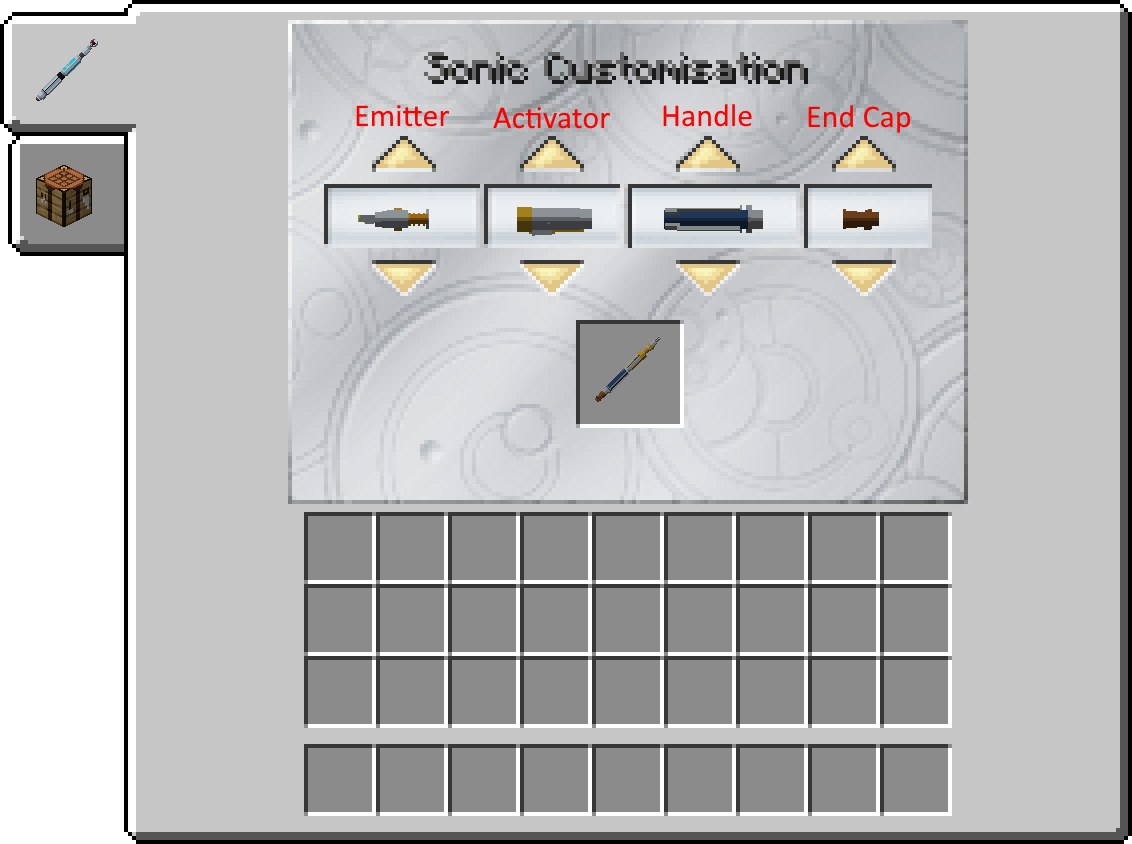
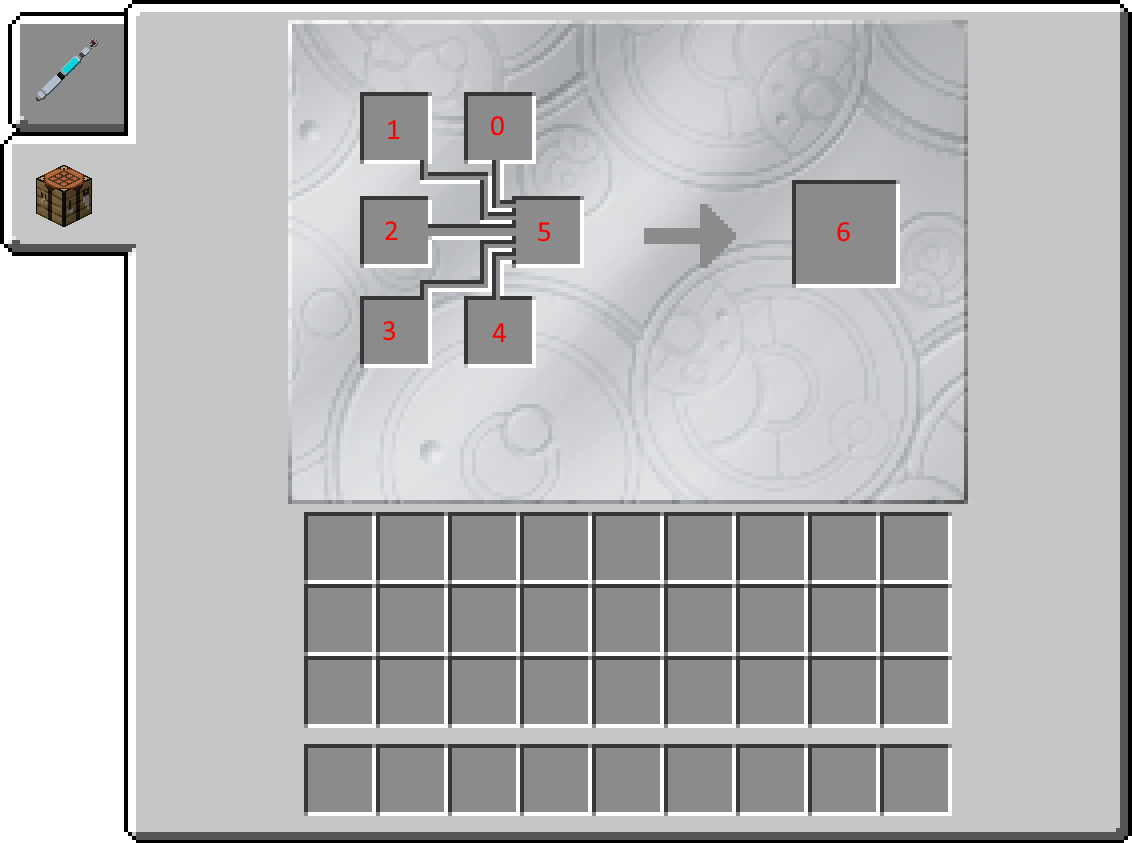
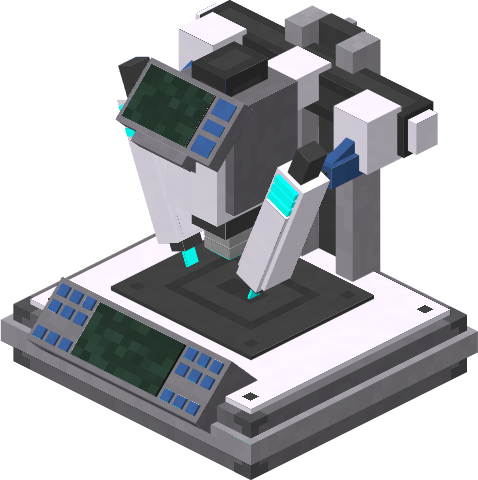 Figure 1 - "Brass" variant of the Quantiscope
Figure 2 - "Iron" variant of the Quantiscope
Figure 1 - "Brass" variant of the Quantiscope
Figure 2 - "Iron" variant of the Quantiscope